A new cafe opens in Riyadh and within a week it has 40,000 Instagram followers — yet a third of those followers drop off before finding the menu because the only link in bio goes to a homepage that loads slowly on mobile and buries the delivery button three scrolls down. The fix is a single, fast link in bio restaurant page that puts everything a hungry guest needs within one tap.
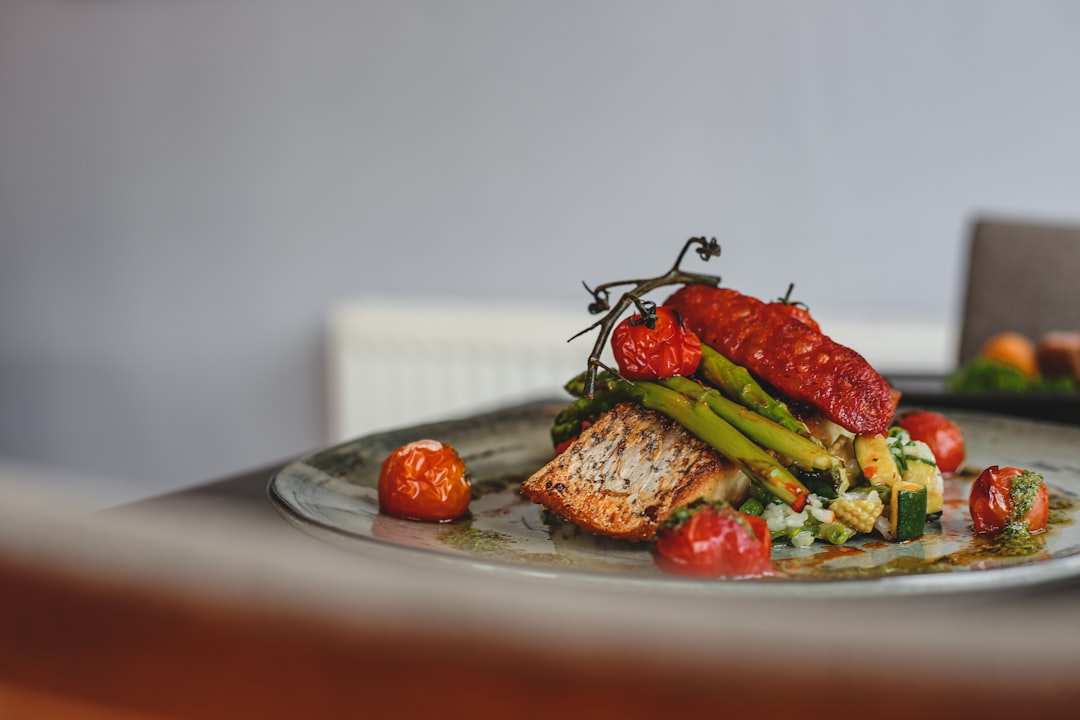
Cover photo by Emma Houghton on Unsplash.
Why Gulf Restaurants Have a Unique Link-in-Bio Problem
Restaurants and cafes across Saudi Arabia, the UAE, Kuwait, Qatar, Bahrain, and Oman face a specific challenge that most generic link-in-bio advice ignores: their customers expect to move from discovery to action in seconds, often while standing in a parking lot or waiting in a queue. A slow page or a confusing layout means a lost cover — not just a missed click.
Gulf diners also typically want several different things from the same profile at the same time:
- Delivery: links to Jahez, HungerStation, Talabat, Noon Food, or Careem Food (sometimes all five)
- Reservation: a direct WhatsApp message or a booking widget (Eat App, Zomato Reservations, Resal)
- Menu: a PDF or a link to the digital menu — not a JPG you have to zoom into
- Location: a Google Maps link that opens the navigation app directly
- Private dining or events: an inquiry button for corporate lunches, family gatherings, or Ramadan tent packages
Trying to fit all of that into a standard Instagram bio description is impossible. One well-built link-in-bio page solves it cleanly.
What to Put on Your Link in Bio Restaurant Page
The order matters as much as the content. Structure your page so that a new visitor who found you through a reel can complete their most likely action — delivery or reservation — without scrolling. Here is a proven layout:
- Header: Your logo, one-line tagline (cuisine type + neighborhood), and a pinned WhatsApp contact button. The WhatsApp button should pre-fill a message like "I'd like to make a reservation" so the guest doesn't have to type.
- Delivery links row (top priority): Put each delivery platform as a separate button with its logo thumbnail. Guests recognize the Talabat orange or Jahez green immediately and tap without reading.
- Reserve a table button: Either a direct link to your booking system or a WhatsApp link with a pre-filled reservation message. Keep it labeled simply — "Book a Table" outperforms "Make a Reservation" in tap-through tests.
- View Menu button: Link to your digital menu. Prefer a web-hosted menu over a PDF; PDFs are slow and often fail to open inside Instagram's in-app browser.
- Photo gallery: Six to eight high-quality food photos pulled from your latest content. This is a silent sales tool — it reminds the visitor why they followed you.
- Find Us (Google Maps link): If you have multiple branches, list each as a separate button with the area name (e.g., "Al Olaya Branch — Riyadh"). Guests searching during peak hours will not read long descriptions.
- Events and private dining: A single button that opens a WhatsApp inquiry or a Google Form. Ramadan, National Day, Founding Day — seasonal packages drive significant group bookings.
Using Image-Thumbnail Buttons the Right Way
One of the most effective things you can do on a link in bio restaurant page is replace plain text buttons with image-thumbnail buttons. Instead of a grey button that says "Chicken Mandi," show a 64px square crop of the dish next to the label. For a multi-concept brand, this lets guests self-select between your burger concept and your breakfast concept instantly.
Practical rules for thumbnails:
- Use square crops (1:1). Landscape images get cropped badly on mobile and look unprofessional.
- Consistent brightness across all thumbnails. A mix of dark studio shots and bright outdoor photos looks chaotic.
- If you update a seasonal menu, update the thumbnail. A photo of a dish you no longer serve is a trust issue, not just a visual issue.
- For delivery platform buttons, use the official platform logo on a white background — guests expect it and scan for it rather than reading the text.
The WhatsApp Button Is Your Most Important Element
Across Gulf markets, WhatsApp is the primary channel for restaurant reservations, catering inquiries, and complaint resolution. A pinned WhatsApp contact button at the top of your link-in-bio page — visible before any scrolling — consistently drives more direct conversions than any other single element for food businesses in the region.
Set it up correctly:
- Use a pre-filled message URL:
https://wa.me/966XXXXXXXXX?text=Hi%2C+I'd+like+to+make+a+reservation - Route to your reservations number, not your general complaints or HR line.
- If you run a cafe with no reservations, pre-fill with "I'd like to ask about today's specials" — it still starts a conversation.
- Business accounts on WhatsApp can set auto-replies for after-hours, which reduces frustration when someone taps at midnight.
Managing Multiple Branches on One Profile
A common pain point for multi-branch groups — whether it's a burger chain with six locations across Jeddah or a coffee brand with kiosks in three malls — is that a single Instagram account serves all locations, but customers need specific branch information.
Rather than creating a separate Instagram account (and link-in-bio) per branch, keep one link-in-bio page and structure it with section headings: "Riyadh Branches" and "Jeddah Branches" each become a section title, and the Google Maps and delivery links beneath each heading are specific to that location. This is cleaner than separate accounts and far easier to update when a branch changes hours or moves.
If your brand is large enough that per-branch pages make sense (franchise model, different concepts under the same group), consider a top-level page with buttons that each link to a separate per-branch page rather than dumping all information into one scroll.
QR Codes on Physical Menus and Table Cards
Your link-in-bio page is not only for Instagram traffic. A QR code printed on your physical menu, your table card, or your takeaway packaging can point to the same page — or a specific version of it optimized for in-venue guests (remove delivery links, keep loyalty program, feedback form, and social follow button).
This is especially useful for:
- Ramadan tent settings where servers are too busy for lengthy interactions
- Dessert cafes where customers want to follow on Instagram before leaving
- Food trucks at outdoor markets where handing out cards is impractical
A QR code that goes to a well-maintained link-in-bio page looks professional. A QR code that goes to a broken website or a PDF that won't load on mobile reflects poorly on the entire brand.
Analytics: What to Watch Each Week
You do not need a data team to make useful decisions from link-in-bio click data. Watch three numbers weekly:
- Top-tapped button: Is it delivery or reservations? This tells you what your audience is actually looking for versus what you assume they want.
- Drop-off by position: If your menu button is in position 6 and it gets very few taps, move it higher. Guests are not scrolling as far as you think.
- WhatsApp taps vs. booking link taps: If WhatsApp is getting 10x more taps than your booking widget, the widget may be an extra step your customers are unwilling to take — simplify to WhatsApp-only.
Set Up Your Restaurant's Link in Bio with Alllinks
If you want a fast, clean link-in-bio page that handles all of the above without paying a developer, Alllinks is built for exactly this. You get image-thumbnail link buttons (perfect for delivery platforms), a photo gallery section, a pinned WhatsApp contact button, QR code generation, click analytics, and multiple design themes that work well for food brands — all on a free plan. A custom domain and advanced analytics are available on paid plans. Setup takes under 20 minutes, and the page loads quickly on mobile, which matters when a hungry guest is deciding where to eat right now.
